Hello! Today I completed the minimum viable product for my Kitty Maze project (now called Pumpkin Pickup) in Unreal Engine 5 and published the first release of the game on Itch.io.
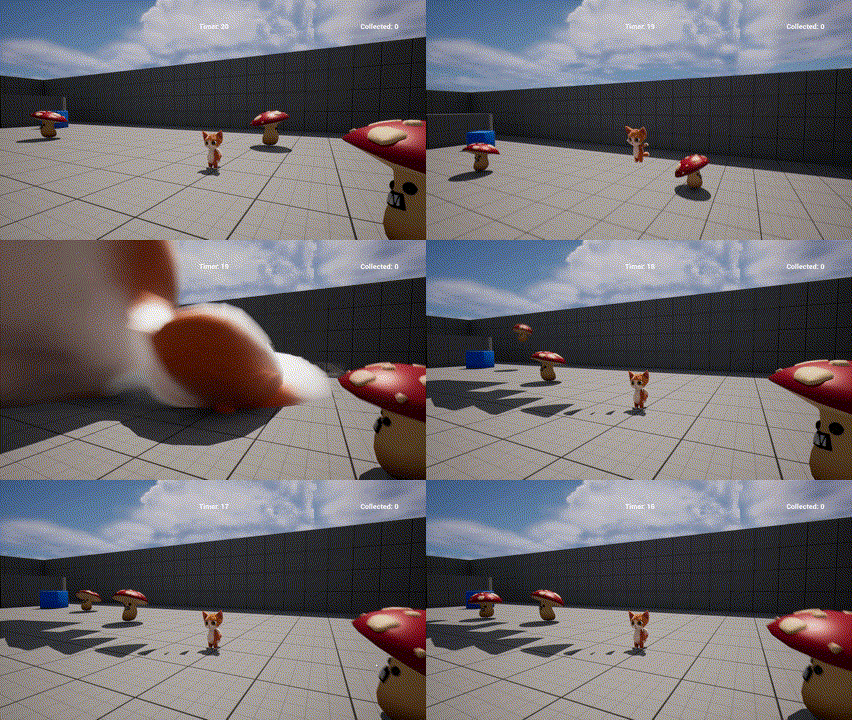
A problem I have ignored since I started this project is a weird landing animation issue with my cat character.
I noticed this warning in the output log whenever this bug happened:
AnimBlueprintLog: Warning: Trying to play a non-additive animation 'Anim_Landing' into a pose that is expected to be additive in anim instance 'ABP_Kitty_C /Game/ThirdPerson/Maps/UEDPIE_0_ThirdPersonMap.ThirdPersonMap:PersistentLevel.BP_ThirdPersonCharacter_C_0.CharacterMesh0.ABP_Kitty_C_0'
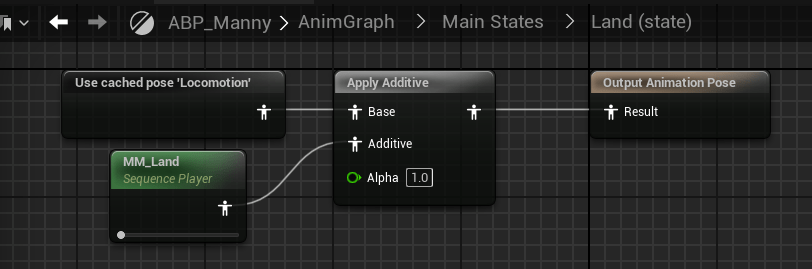
This gave me a pretty good idea of where the problem was. I checked the Land (state) in the Animation Blueprint and sure enough, the “Land” animation sequence had an “Apply Additive” node before the output.
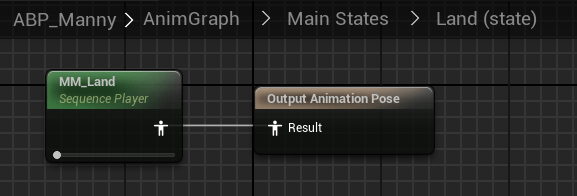
I removed the “Apply Additive” node:
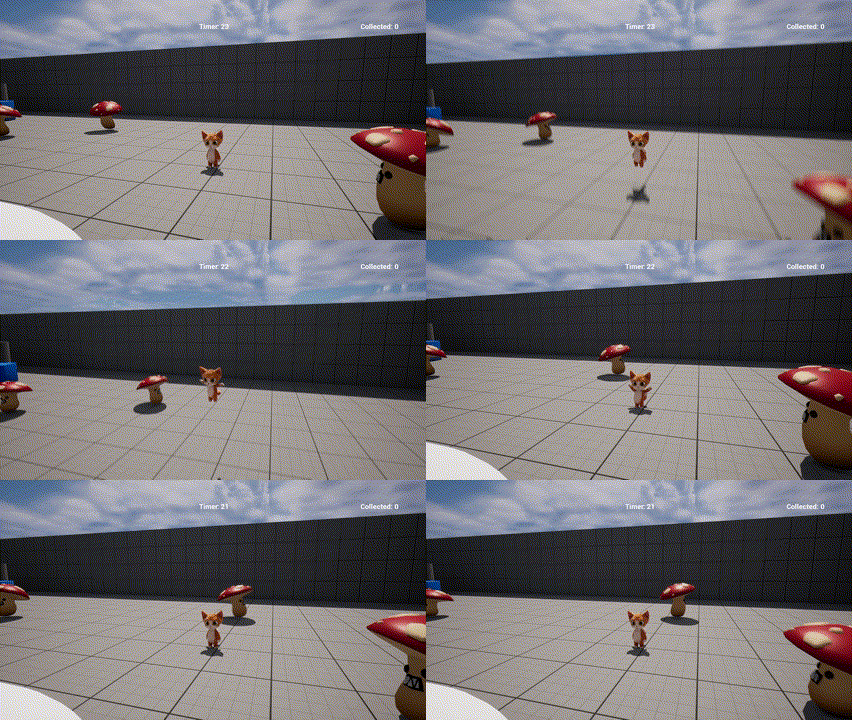
And that fixed it!
Environment Setup
I got this village pack and started setting up the map.
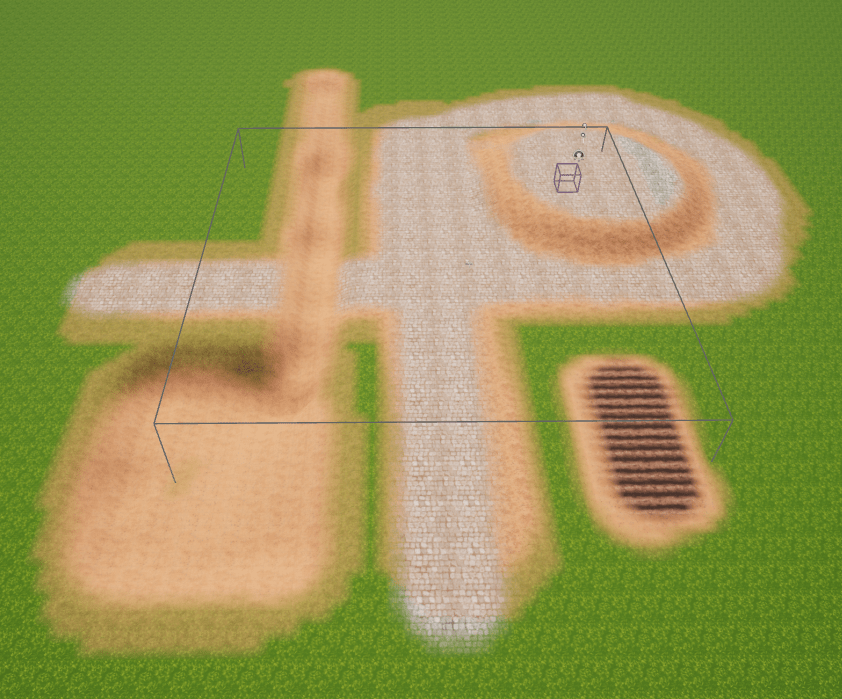
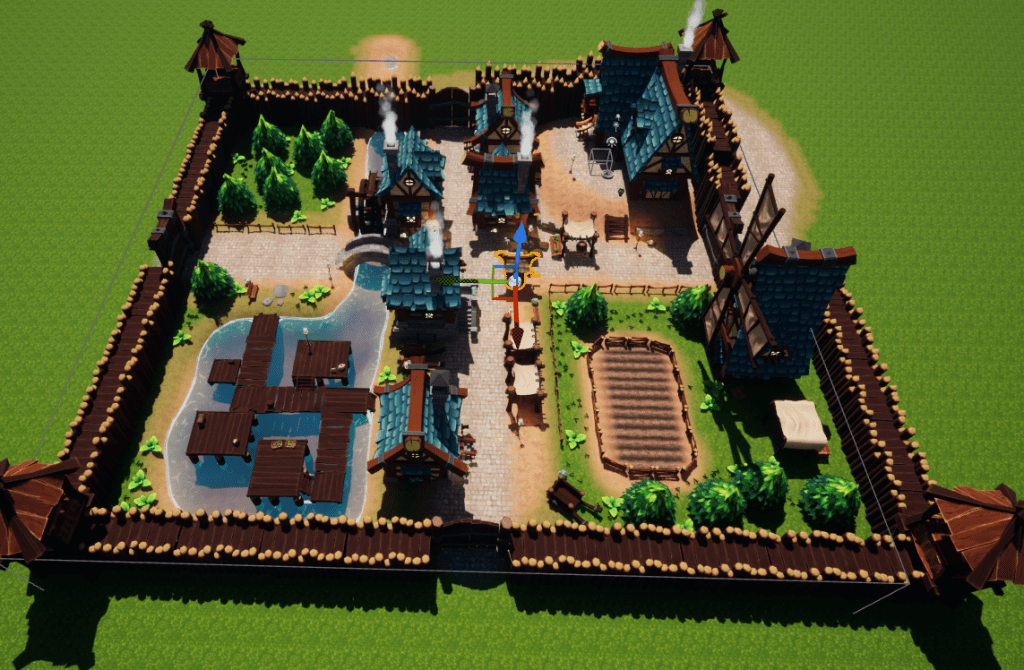
Landscape progressStep one: Sculpt and paint the landscapeStep two: Add borders and bridgesStep 3: Add buildings, foliage, and other details
The final result did not turn out as maze-like as I was originally expecting, but I think it worked out pretty well.
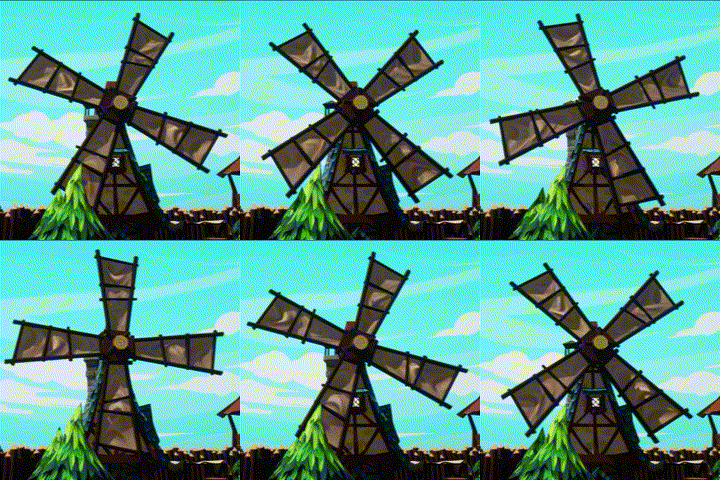
For fun, I made a simple rotation script and added it to the windmill and water wheel.
Music and SFX
I grabbed some background music and SFX from freesound.org and hooked them up, which was pretty simple.
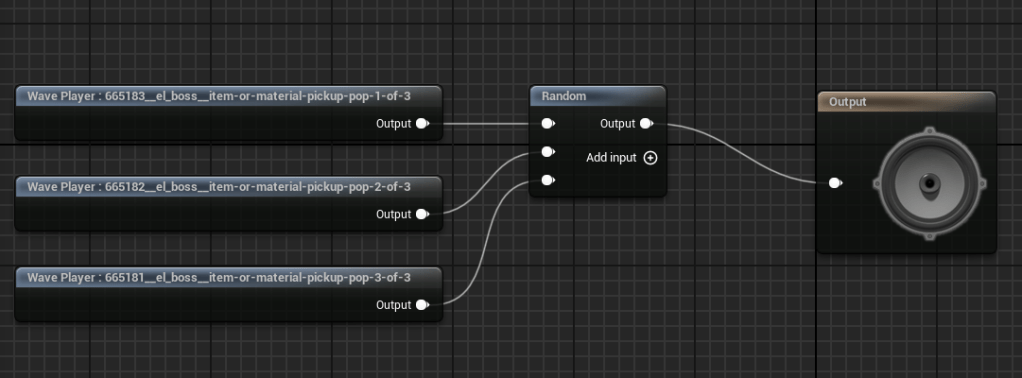
The most interesting one is the pickup sound, which has a randomizer in the sound cue blueprint.
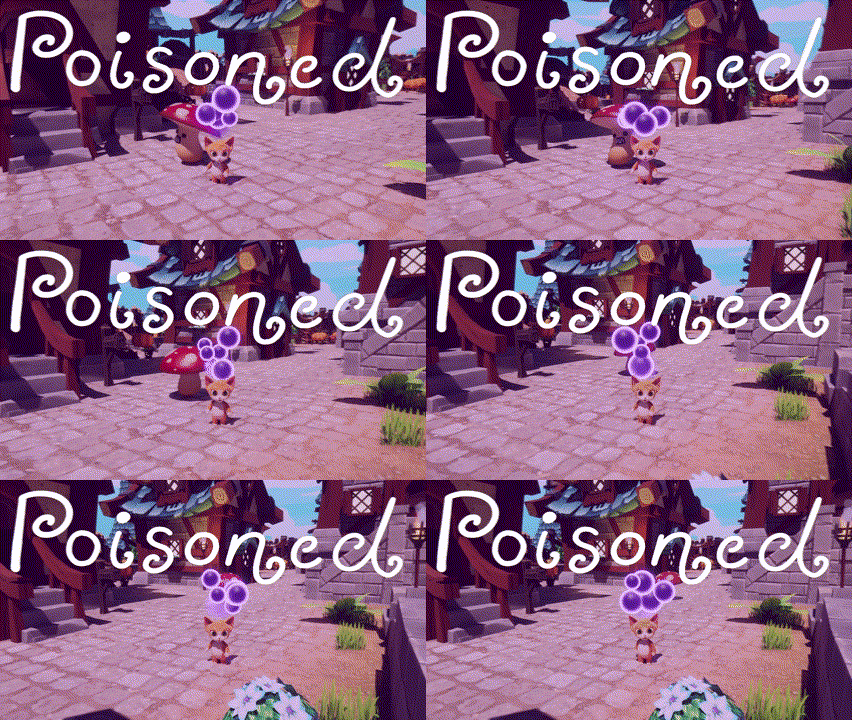
Basically, it spawns some purple bubbles above the character’s head.
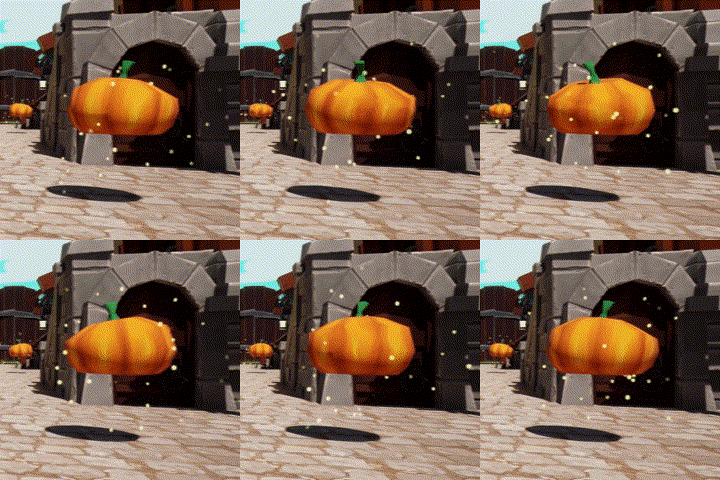
I also set up a sparkle-like effect for the collectibles (and added the rotation script to those too).
UI Updates
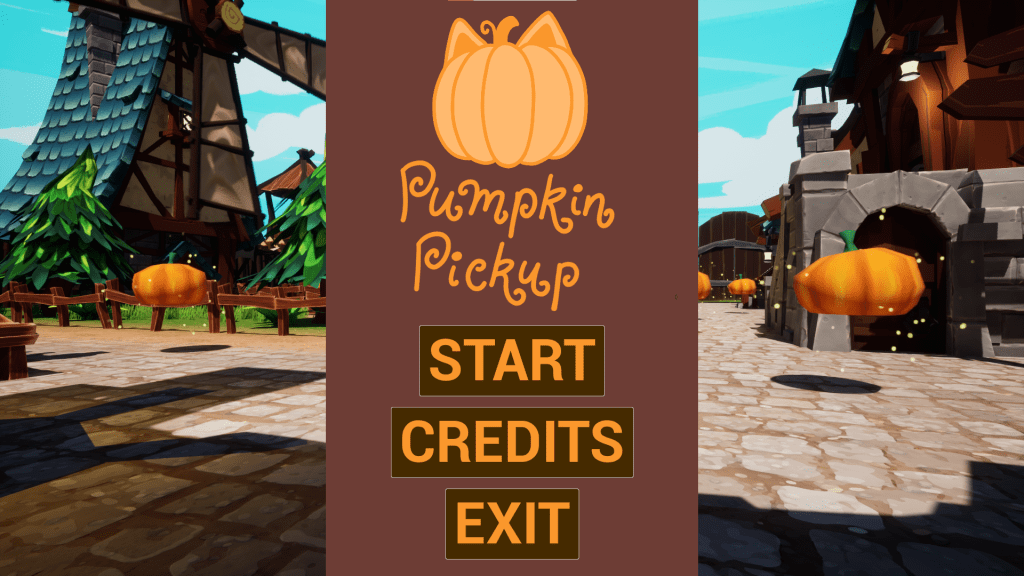
Since the collectibles are pumpkins and the map is no longer a maze, I renamed the game to Pumpkin Pickup and made a logo for the main menu screen.
I also finally fixed an issue where clicking anywhere outside the buttons in the main menu removed the cursor (and moved the camera, which is now visible). Now the input is disabled and the cursor state is forced in a tick.
Input changes in ShowMainMenu()
if (_playerController != nullptr && _playerCharacter != nullptr)
{
	_playerController->SetCursorActive(show);

	if (show)
	{
		_playerCharacter->DisableInput(_playerController);
	}
	else
	{
		_playerCharacter->EnableInput(_playerController);
	}
}
Today I finished implementing a navigation system for the enemies in my Kitty Maze Unreal project. This post is a bit long since I will go into some detail about the implementation. I learned a lot about the Unreal Engine Navigation System and Unreal data types.
First, I did some research. I know Unreal comes with some useful AI Navigation tools, so I investigated if I should incorporate those in my implementation.
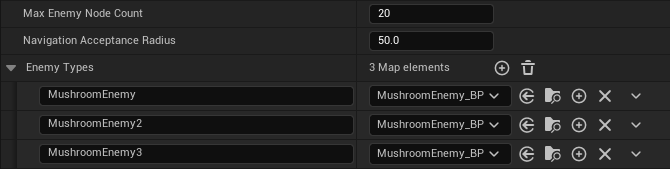
I decided a TMap of FVector positions indexed by the enemy name would be the best way to store the data from the enemy nodes. To keep track of the enemy types, I made another TMap that is also indexed by enemy name and has values of TSubclassOf<<AEnemy>> so the enemy blueprints can be assigned in the Editor.
Max Enemy Node Count is the size the TArray<FVector> is initialized to in _enemyNodes. Navigation Acceptance Radius is used as the Acceptance Radius parameter in AAIController::MoveToLocation(). Enemy Types has keys that match the corresponding enemy name in AEnemyNode.
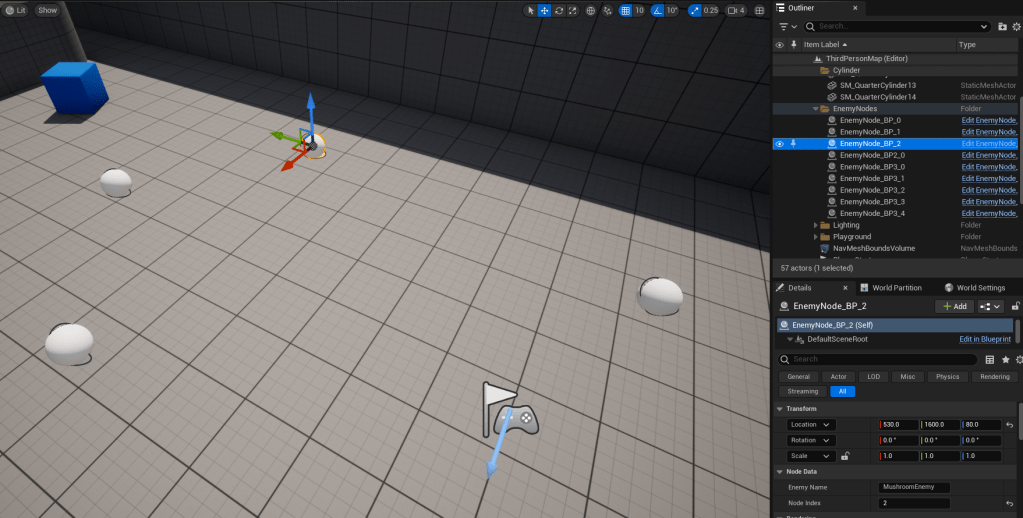
I added the nodes to the scene like this:
They have the field “Actor Hidden In Game” set to true so they only show up in the level editor.
Right now I have the nodes call InitEnemyNode() in my Game Mode class to initialize the enemy nodes map. I think ideally I would have a separate enemy controller that handles that, but I am saving it for a future refactor.
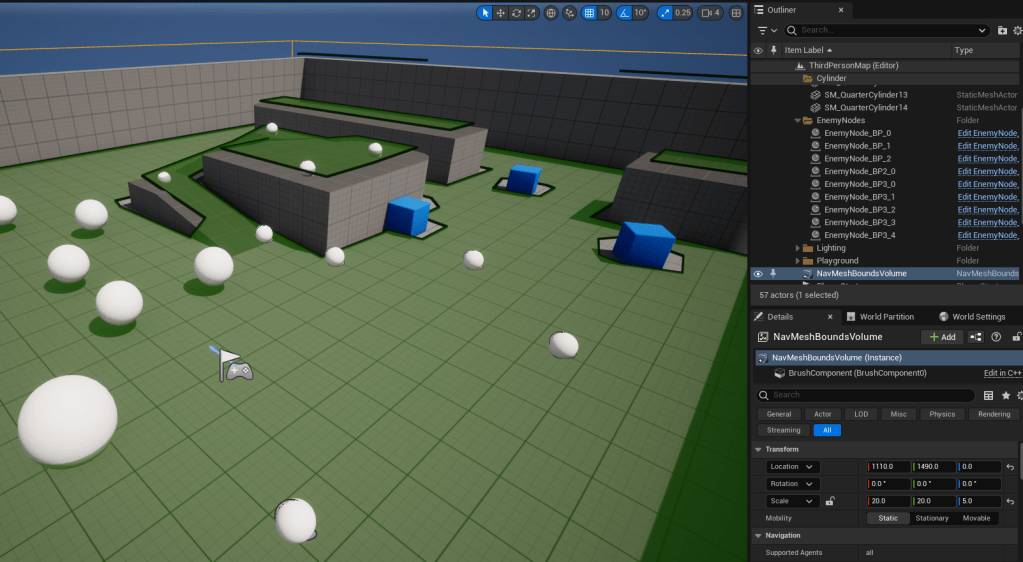
Building a Navigation Mesh was really easy. I just dropped the NavMeshBoundsVolume into the scene and it worked! The hotkey for visualizing the Nav Mesh is P.
When the game starts, I have the enemies spawn at their first enemy node and start moving towards the second enemy node if there is one. When the enemy reaches a node, it will either move to the next node in the path or back to the first node again.
Enemy Spawning
FRotator defaultRotation = FRotator::ZeroRotator;
FVector defaultPosition = FVector();

for (auto& enemy : _enemyTypes)
{
	if (_enemyNodes.Contains(enemy.Key))
	{
		AEnemy* enemyPawn = GetWorld()->SpawnActor<AEnemy>(enemy.Value.Get(), _enemyNodes[enemy.Key][0], defaultRotation);

		// Only initialize the enemy if there is more than one node associated with it.
		if (!_enemyNodes[enemy.Key][1].Equals(defaultPosition))
		{
			enemyPawn->InitEnemy(enemy.Key, _enemyNodes[enemy.Key][1], NavigationAcceptanceRadius);
		}
	}
}
Here is an enemy navigating in a loop between three nodes:
Polish: Adding Pauses and More Animations
As a little bit of polish, I wanted to have the enemy pause at each node and play a different animation for a few seconds before continuing. This was a pretty simple addition because I just needed to add a timer for the pause and make a few changes to the animation blueprint I had set up for the enemy.
Enemy.h
#pragma once

#include "CoreMinimal.h"
#include "AIController.h"
#include "GameFramework/Character.h"
#include "Enemy.generated.h"

/// <summary>
/// An enemy which can navigate between nodes
/// </summary>
UCLASS()
class KITTYMAZE_API AEnemy : public ACharacter
{
	GENERATED_BODY()

public:
	void InitEnemy(FString enemyName, FVector movePositon, float acceptanceRadius);

private:
	/** Number of seconds that the enemy stops between nodes */
	UPROPERTY(EditDefaultsOnly, Category = "EnemyData")
	float _pauseBetweenNodes = 2.0f;

	int _currentNodeIndex = 0;

	float _acceptanceRadius;

	FString _enemyName;

	AAIController* _aiController;

	FTimerHandle _pauseTimerHandle;

	void OnNodeReached(FAIRequestID RequestID, const FPathFollowingResult& Result);

	void MoveToNextNode();
};
Enemy.cpp
#include "Enemy.h"
#include "KittyMazeGameMode.h"
#include <Kismet/GameplayStatics.h>

void AEnemy::InitEnemy(FString enemyName, FVector movePositon, float acceptanceRadius)
{
    _enemyName = enemyName;
    _acceptanceRadius = acceptanceRadius;

    _aiController = Cast<AAIController>(GetController());
    if (_aiController != nullptr)
    {
        _aiController->GetPathFollowingComponent()->OnRequestFinished.AddUObject(this, &AEnemy::OnNodeReached);

        MoveToNextNode();
    }
}

void AEnemy::OnNodeReached(FAIRequestID RequestID, const FPathFollowingResult& Result)
{
    if (Result.IsSuccess())
    {
        if (_pauseBetweenNodes > 0)
        {
            // Move to the next node after a pause.
            GetWorldTimerManager().SetTimer(_pauseTimerHandle, this, &AEnemy::MoveToNextNode, _pauseBetweenNodes, false, _pauseBetweenNodes);
        }
        else
        {
            MoveToNextNode();
        }
    }
    else
    {
        // TODO: Maybe just teleport the enemy to the next node?
    }
}

void AEnemy::MoveToNextNode()
{
    if (_aiController != nullptr)
    {
        ++_currentNodeIndex;

        // Not saving this to a member variable because I plan on moving GetEnemyNode() to a separate enemy controller in the future.
        AKittyMazeGameMode* gameMode = Cast<AKittyMazeGameMode>(UGameplayStatics::GetGameMode(GetWorld()));
        FVector movePositon = gameMode->GetEnemyNode(_enemyName, _currentNodeIndex);

        if (movePositon.Equals(FVector()))
        {
            _currentNodeIndex = 0;
            movePositon = gameMode->GetEnemyNode(_enemyName, _currentNodeIndex);
        }

        _aiController->MoveToLocation(movePositon, _acceptanceRadius);
    }
}
My enemy animation blueprint is a simplified version of the “ABP_Manny” blueprint that comes with Unreal’s third person starter pack.
First, I added these variables to the blueprint:
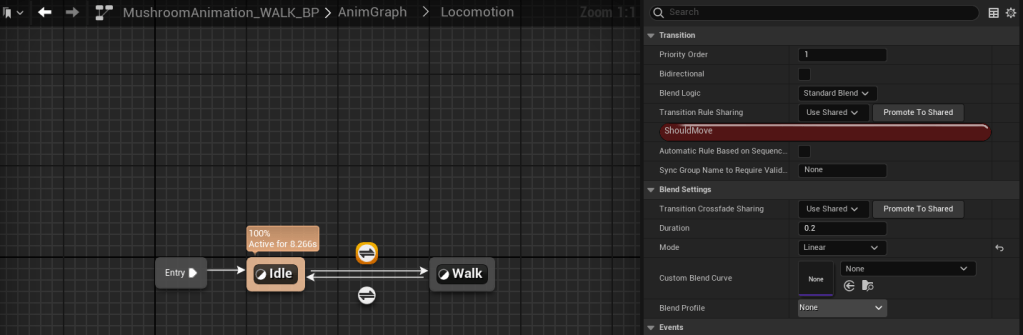
Next, I copied the Locomotion state machine from ABP_Manny and made a few adjustments to it.
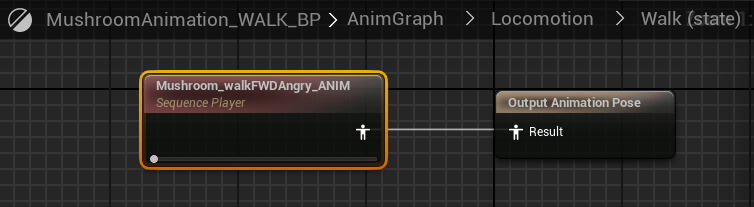
The transition from Idle to Walk is based on ShouldMove and the one from Walk to Idle is NOT ShouldMove.This shows the Walk state plays the Walk (forward, with an angry face) Animation Sequence. The Idle state plays a Taunt Animation Sequence because I liked that one better than the idle animation.
The event graph is also almost the same as ABP_Manny. It initializes the variables for Character, CharacterMovement, Velocity, and GroundSpeed and then sets ShouldMove to true if GroundSpeed is greater than 0.1.
Final Result
Here is the final result with a couple enemies navigating around the level:
My prediction that setting up enemy navigation would take about two work days was correct.
Now that I have a player, collectibles, enemies, and a win/loss condition set up, I am going to import some more assets from Unreal Marketplace to make a real level with a maze for this game.
Don’t get lost! And remember that bad times are just times that are bad.







 Amber Rocio Smith